
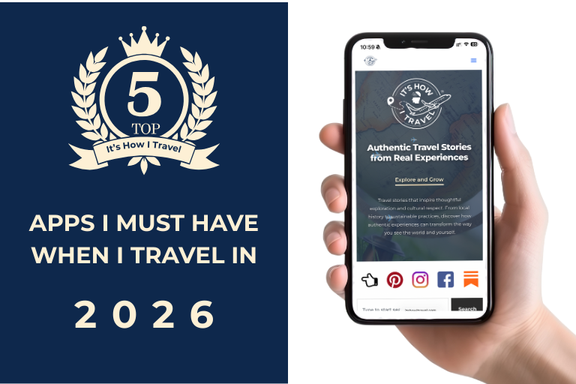
My Top 5 Travel Apps (2026)
Key Takeaways
- The best travel apps for 2026, emphasizing YouTube Premium, Bounce, WhatsApp, Google Translate, and Google Maps.
- YouTube Premium allows downloading content for offline access during travels, making it essential for entertainment.
- Bounce helps store luggage at various locations, providing freedom to explore without heavy bags.
- WhatsApp offers free international messaging and calls, becoming vital for communication while abroad.
- Google Translate features real-time translation and offline language downloads, while Google Maps excels in navigation and public transport assistance.
Updated: January 2, 2026
Top 5 Apps I Don’t Travel Without
I’m reviewing this in 2026, and I often think about what travel would’ve been like for me 30 or 40 years ago, without the iPhone or international data plans. Could I have done it? Of course. But would it have been as seamless? Probably not.
Today, travel feels effortless and fun, thanks in large part to five travel apps I don’t want to travel without.
You might think picking just five apps is overly confident and surely I use more than that. I do. But these five? I thought long and hard about them. If any of them disappeared, I’d genuinely have to rethink how I travel.
Keep in mind there are alternatives to each one, but these are what I use today. (Remember, the blog is called It’s How I Travel for a reason.)
At the end, I’ll list a few honorable mentions, apps I like but the alternatives are fine.
Now, here’s my list, from 5 to 1:
5) YouTube Premium
You might be thinking: didn’t he just say non-travel apps would go at the bottom? True, but I’m making a case for YouTube Premium being a travel app. (It’s a stretch, I know.) It’s also the only app on this list with a monthly cost.
YouTube is essential to my travel routine for one main reason: downloadable content.
Even if you’re heading to a place with good WiFi or strong cellular signal, it doesn’t mean you’ll always have access, especially during transit. Many airlines offer WiFi now, but not all can handle streaming.
If you’re traveling internationally, your mobile plan likely has data caps. Mine gives me free international roaming, but caps me at 5 GB before dropping to almost unusable speeds. So I download content ahead of time—videos, reviews, destination tips, and entertainment.
It’s not just for fun either—you might want access to that helpful travel vlog once you’ve landed and can’t load it again.
iPhone (App Store):
https://apps.apple.com/us/app/youtube/id544007664
Android (Google Play):
https://play.google.com/store/apps/details?id=com.google.android.youtube
YouTube Premium Info:
https://www.youtube.com/premium
4) Bounce
This app has saved my back—literally.
Bounce lets you store your luggage at thousands of retail stores, hotels, or restaurants for a small fee.
My wife and I once stayed at an Airbnb in London. Checkout was 11 AM, but our flight wasn’t until 9 PM. We had a full day in the city planned. Hauling a backpack and suitcase each would’ve been miserable. I opened the Bounce app, and 50+ nearby locations popped up. I filtered by area and availability, found one with 4.9 stars and over 500 reviews, and booked it.
Small bags were £3.50, large suitcases £5.00. For just £17.50 (about $23.50 USD), we had freedom for the day. Our drop-off spot turned out to be a hotel.
I’ve used Bounce in NYC, too, dropping my bag at a pizza shop so I could explore before meeting friends for dinner.
Most places lock your bag in a secure area, and Bounce offers a $10,000 “BounceShield” guarantee. I’ve never had a single issue, not even a hiccup at pickup or drop-off.


Official Website (Click the pretty banner):

3) WhatsApp
According to Backlinko, WhatsApp is the fifth most downloaded app in the world, with over 27 million downloads.
It’s a free messaging app that lets you send texts, voice notes, and make voice or video calls, over WiFi or data, with no international charges.
The more you travel, the more you’ll encounter WhatsApp. In small towns in Mexico, I often see business WhatsApp numbers posted on signs and menus.
It works just like your phone, only smarter when you’re abroad.
iPhone (App Store):
https://apps.apple.com/us/app/whatsapp-messenger/id310633997
Android (Google Play):
https://play.google.com/store/apps/details?id=com.whatsapp
Official Website:
https://www.whatsapp.com

2) Google Translate
Typing “Where is the bathroom?” into English and having it respond with “Waar is het toilet?” in Dutch is helpful—but that’s just scratching the surface.
The real game-changer for me is the Lens feature.
Not every restaurant needs to offer an English menu, and they shouldn’t have to. With Google Translate, I simply hold my phone over the menu, and the app live-translates the text. It has saved me from many meal mistakes.
You can also download languages for offline use, which is crucial when service is spotty. If you’re traveling to a country where you don’t speak the language, download that language before your trip, it’s worth it.
Another standout feature: Conversation Mode, which allows back-and-forth translation in real time. It’s like having a pocket interpreter.
iPhone (App Store):
https://apps.apple.com/us/app/google-translate/id414706506
Android (Google Play):
https://play.google.com/store/apps/details?id=com.google.android.apps.translate
Official Website:
https://translate.google.com/about


1) Google Maps
This might seem like the obvious choice—but hear me out. There are features of Google Maps that go beyond basic navigation.
Offline Access
You can download entire regions for offline use. Google even shows how much storage it’ll take (usually not much). Even if you think you’ll have signal, you might lose it mid-transit. Don’t get stranded.
Public Transportation
Yes, every map app shows transit, but Google just does it better. Apple Maps, for example, completely misses the local bus in front of my house and suggests a 75-minute trip downtown. Google shows the accurate 20-minute route.
We used it to get around Copenhagen entirely by bus and train.
Exploration Mode
Type in an address and slowly zoom out. You’ll see hotels, restaurants, parks, plus biking routes, terrain maps, and more.
Reviews
Google shows ratings and reviews right in the app. While Apple Maps pulls reviews from third-party sites (which I don’t really care about), Google uses its own ecosystem, which tends to be more complete.
Google Maps isn’t just helpful, it’s essential.
iPhone (App Store):
https://apps.apple.com/us/app/google-maps/id585027354
Android (Google Play):
https://play.google.com/store/apps/details?id=com.google.android.apps.maps
Official Website:
https://www.google.com/maps


Honorable Mentions
Here are a few other apps I use on nearly every trip, but they didn’t crack the top 5:
- Flight Aware – Flight tracking with real-time alerts
- Flighty – Similar to Flight Aware but with better paid features
- TripIt – Keeps all your confirmations in one place
- Get Your Guide – Great option for finding events and things to do
- Uber / Lyft – Rideshare apps
- Airline-specific apps – For boarding passes and seat selection
- Hotel-specific apps – For checking-in and features the hotel offers
Summary
These five apps, YouTube Premium, Bounce, WhatsApp, Google Translate, and Google Maps, may serve different functions, but together they make travel smoother, more connected, and a lot less stressful. From entertainment and communication to language help and navigating new cities, they’ve become essential tools in how I travel. While there are plenty of alternatives out there, these are the ones I rely on time and time again. Whether you’re planning a weekend getaway or a global adventure, having the right apps in your pocket can make all the difference.
The best travel apps for 2026 are Google Maps for navigation and offline access, Google Translate for real-time language translation using the Lens feature, WhatsApp for free international messaging and calls, Bounce for luggage storage at thousands of locations worldwide, and YouTube Premium for downloadable travel content. These five apps cover navigation, communication, language barriers, practical logistics, and entertainment for seamless travel experiences.
Yes, YouTube Premium is worth it for travel because it allows you to download videos for offline viewing during flights, in areas with poor WiFi, or when you hit international data caps. Many travelers use 5GB international roaming plans that become unusable after the limit, making pre-downloaded travel vlogs, destination guides, and entertainment essential. YouTube Premium costs a monthly fee but provides unlimited downloads and ad-free viewing crucial for international trips.
Bounce is a luggage storage app that connects travelers with thousands of retail stores, hotels, and restaurants that will store bags for a small fee (typically $3-7 per bag). The app shows nearby locations with ratings and reviews, allows instant booking, and provides a $10,000 BounceShield guarantee for stored items. Bounce is perfect for exploring cities between hotel checkout and flight departure times, eliminating the need to carry luggage while sightseeing.
Use Google Translate while traveling by downloading languages for offline access before your trip, using the Lens feature to point your camera at menus or signs for live translation, and activating Conversation Mode for real-time back-and-forth translation with locals. The Lens feature is particularly valuable at restaurants where you can hold your phone over a foreign language menu and see instant English translations without typing anything.
The best travel apps that work without international data are Google Maps with pre-downloaded offline maps of entire regions, Google Translate with downloaded languages for offline translation, and YouTube Premium with downloaded videos for entertainment and travel guides. WhatsApp works over WiFi without data plans. Download all necessary maps, languages, and content before leaving home or while connected to hotel WiFi to ensure full functionality without cellular data.
WhatsApp is important for international travel because it provides free messaging, voice calls, and video calls over WiFi or data without international charges. Many businesses worldwide, especially in Mexico, Central America, South America, Europe, and Asia, use WhatsApp as their primary communication method and post WhatsApp numbers instead of regular phone numbers. The app has over 27 million downloads globally and is essential for communicating with hotels, restaurants, tour operators, and local contacts abroad.




3 Comments